 penui
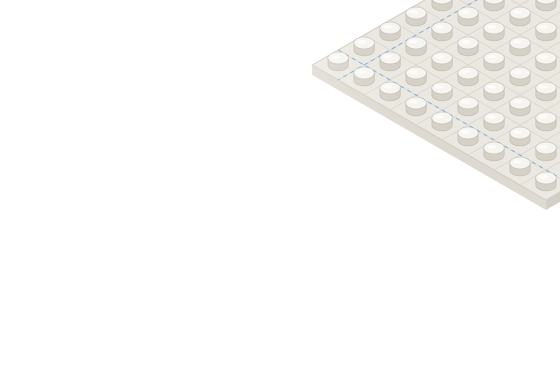
Exact geometry, zero guesswork
Every piece ships with design pixel dimensions, nineSlice.insetPx values, color palettes, offsetInParent coordinates, and repeatPositions for grids.
architecture / ai ui builder
Most AI UI generators guess pixel coordinates from text prompts and hope for the best. penui takes the opposite approach: it turns real designer-made Figma .fig files into machine-readable components and pre-split layered units served over MCP, so your AI agent assembles deterministic, production-grade Roblox ScreenGui Luau.
penui is paired with the AI coding agent you already run. Read Build UI with your AI for that pairing, and Figma to Roblox for how a Figma file becomes the screen.
the core thesis
When you ask a raw LLM to build a game shop, inventory, or battle pass from scratch, it invents numbers: arbitrary frame sizes, mismatched corner radii, off-center text labels, and flat gradient boxes that look obviously AI-generated.
penui is an AI game UI tool built around retrieval and deterministic composition, not hallucination. Designers author the screens in Figma; penui compiles every button, panel, header, tile, bar, and icon into exact geometry and layered PNGs; and your AI coding agent uses the Model Context Protocol (MCP) to inspect, preview, and assemble them into one cohesive ScreenGui.
Every piece ships with design pixel dimensions, nineSlice.insetPx values, color palettes, offsetInParent coordinates, and repeatPositions for grids.
Tools like search_units(contact_sheet=true) and preview_units give your model real PNG contact sheets and overlap critiques before emitting Luau.
compose_units and compose_screen output clean Luau with UIScale, nested containers, f:Clone() repeat grids, and editable TextLabel overrides.
side by side
Why teams building Roblox UI and game GUIs with AI switch from text-only prompting or screenshot-to-code tools to an MCP component server.
| Dimension | Prompt-only AI UI generator | penui Designer Component MCP |
|---|---|---|
| Layout & art source | Invented on the fly from LLM token weights; inconsistent spacing, flat shapes, and generic gradients. | Extracted 1:1 from Figma .fig files across 15 curated design & icon packs (2,576+ components). |
| Text & localization | Baked into generated raster images or manually positioned with guessed font sizes and clipping bugs. | notext.png + structured texts[] layers with exact bounding boxes, strokes, and Roblox fonts (Fredoka One, Montserrat). |
| Responsive scaling | Hardcoded offsets break between 16:9 desktop, ultrawide, and mobile viewports; panels stretch and warp corners. | Built-in UIScale + AutoScale + 9-slice insets (SliceCenter) preserve crisp corners on every screen size. |
| Repeated grids & slots | Duplicates verbose boilerplate 8 times or misaligns rows by a few pixels per card. | Single reusable template cloned via f:Clone() across exact Figma REPEAT_OFFSETS with per-slot text overrides. |
| Visual verification | Must paste code into Roblox Studio and playtest blindly to discover overlapping or missing elements. | Free local preview_units renders a PNG with your custom text, computes overlap % and sight lines, and outputs an HTML preview first. |
| Visual coherence | Mixing prompts across screens drifts colors, border weights, and corner styles. | match_theme + get_design_tokens + suggest_combos lock a single base pack’s palette, outline weight, and typography across every screen. |
figma-to-code ui with ai
Most Figma-to-code converters dump raw absolute-positioned divs or unreadable node trees. penui decomposes every `.fig` design into two structured abstractions so AI coding agents can reuse or remix screens cleanly.
Every Figma frame is indexed with its kind, category (button, close-button, panel, header, tile, icon, bar, input, decoration, effect-layer), nineSlice.insetPx, children[], and offsetInParent. Effect layers stay hidden by default so searches stay clean.
Units split complex UI pieces into full.png, notext.png, and individual layer PNGs (parts/*.png), paired with spatial links: parent container, margins, Z-order, nearest sibling, and in-frame repeat positions. Agents place them with compose_units instead of hand-coding gradients.
get_reconnection or get_hierarchy on any unit, component, or pack returns the ancestor container tree, sibling coordinates, a context screenshot of the original Figma frame, and ready-to-call compose_units / compose_screen recipes.
two output modes
Whether you are prototyping in 30 seconds or shipping a front-page Roblox game, penui supports both native Roblox instances and uploaded rbxassetid:// textures.
Buttons, close buttons, panels, headers, tiles, bars, and inputs compile into pure Roblox UI instances: Frame + UICorner + UIGradient + UIStroke + TextLabel.
Works immediately on the free Starter plan with no Roblox Open Cloud credentials or Asset Manager steps.
Call upload_unit_assets (or upload_assets) to stage local PNGs for the Roblox Studio MCP upload_image tool (no Open Cloud key required), or set ROBLOX_API_KEY for direct Open Cloud batch uploads.
register_uploaded_assets stores every ID in library/roblox-ids.json so subsequent compose_units calls emit ImageLabel with 9-slice ScaleType.Slice.
Renderer transparency: NOISE / GRAIN effects are approximated; BACKGROUND_BLUR and angular/diamond gradients are not rendered by the `.fig` renderer.
end-to-end execution
Pair the penui MCP server with the Roblox Studio MCP inside Claude Code, Cursor, Windsurf, VS Code Copilot, or any MCP host. The agent runs a predictable, verifiable loop.
suggest_combos or match_theme selects a cohesive base pack and curated screen layout or starting pieces.preview_units validates layout, text, and overlaps for free; upload_unit_assets + Studio upload_image bind art IDs.compose_units emits one responsive ScreenGui Luau script, executed directly in Studio via execute_luau.# Prompt in Claude Code, Cursor, Windsurf, or Antigravity:
"Build a simulator shop UI with 4 gamepass cards, a coin counter, and a close button using penui."
# What the AI agent executes over MCP:
1. get_studio_workflow()
2. suggest_combos({ screen: "shop", theme: "simulator" }) # or search_units(..., contact_sheet=true)
3. preview_units({ name: "ShopScreen", layout: "zones", items: [...] }) # free visual check
4. upload_unit_assets({ ids: [...] }) -> Studio upload_image -> register_uploaded_assets
5. compose_units({ name: "ShopScreen", width: 1280, height: 720, items: [...] })
6. Studio execute_luau(script) # places StarterGui/ShopScreenplans & identity
Search, contact sheets, design tokens, and preview_units are free. Metering applies only to Luau compilation (get_luau = 1 unit; compose_screen / compose_units = 1 unit per 10 distinct items, minimum 1). See penui.dev/pricing for full details.
€0 forever
4 starter/open-source packs (starter-frames, buttons, game-icons, penui-icons with 800+ CC0 icons), native builds, ~4 full frames/mo.
€12.99 / mo
Or €10.39/mo billed yearly (€124.68/yr). All 15 packs, @1x/@2x/notext/SVG, auto upload, ~40 full frames/mo.
€22.99 / mo
Or €18.39/mo billed yearly (€220.68/yr). Everything in Indie, no weekly cap (~125 full frames/mo).
€199 once
Pay once, own forever. All current and future Figma packs included, with no monthly MCP cap.
questions & answers
Prompt-only AI UI generators ask an LLM to invent coordinates, gradients, and layout hierarchy from scratch, which produces misaligned boxes and generic styling. penui is not a layout hallucinator: it exposes 2,576+ real designer-made Figma components and pre-split layered units over MCP with exact sizes, 9-slice insets, typography, palette tokens, and parent offsets, so the AI assembles production UI deterministically.
Yes. Buttons, panels, headers, tiles, bars, and inputs build natively using Roblox Frame, UICorner, UIGradient, UIStroke, and TextLabel instances. When you want pixel-exact Figma art, upload_unit_assets and Studio MCP upload_image (or Open Cloud upload_assets) bind rbxassetid:// URLs automatically.
penui compiles each Figma .fig file into machine-readable metadata including nineSlice.insetPx (mapped to ImageLabel.ScaleType = Slice), notext PNG variants without baked copy, and a texts[] array with exact positions, Fredoka One or Montserrat fonts, colors, and strokes so AI agents swap labels cleanly.
Any MCP-compatible client on Node 20+, including Claude Code, Claude Desktop, Cursor, Windsurf, VS Code GitHub Copilot, Zed, Gemini CLI, OpenAI Codex, Google Antigravity, Continue, Cline, and Roo Code. Pair penui with the Roblox Studio MCP to run generated Luau directly in StarterGui.
Pre-split units store each reusable UI piece as full.png, notext.png, and individual layer PNGs alongside parent reconnection metadata (offsetInParent, margins, z-order, and repeatPositions). Agents inspect up to 24 candidates in a single contact sheet, test layouts for free with preview_units, and compile one responsive ScreenGui via compose_units.
No. penui is paired with the AI coding agent you already run. It is the UI library beside that agent, not a separate chatbot.
Inspect every MCP tool, browse all 15 packs, or read the Roblox AI UI guide.