 penui
Item & Gamepass Shops
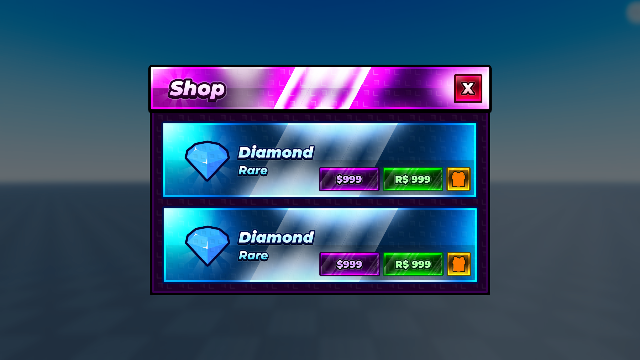
stud-shopTabbed storefronts, featured bundles, Robux price pills, and repeat item grids cloned cleanly with Clone().
"Build a Roblox Shop ScreenGui using stud-shop with 6 gamepass cards and a close button."
guide / build roblox ui with ai
Make production Roblox GUIs with AI without hallucinated rectangles. penui exposes 2,576+ Figma-extracted components across 15 packs over MCP so Claude Code, Cursor, or Gemini CLI assemble a scaled ScreenGui directly in Roblox Studio.
penui is paired with the AI coding agent you already run. Read Build UI with your AI for that pairing, and Figma to Roblox for how a Figma file becomes the screen.
direct answer
To build a Roblox GUI with AI, connect the penui MCP server alongside Roblox Studio MCP instead of asking an LLM to hand-code coordinates from scratch. The agent calls get_studio_workflow, finds matching Figma-extracted pieces with search_units or search_components, composes one scaled Luau ScreenGui script via compose_units or compose_screen, and inserts it into StarterGui with execute_luau.
search_units and picks pieces from a single style pack.compose_units or compose_screen outputs one scaled ScreenGui script.execute_luau into StarterGui.Under the hood, penui serves 33 MCP tools, 6 MCP resources (penui://index, penui://docs/usage, penui://docs/studio-workflow, penui://pack/{id}, penui://component/{id}), and the build-roblox-ui prompt. See the MCP UI tools reference for full schemas.
the problem & fix
When you tell a standalone coding model to "make a Roblox shop GUI," it has to guess pixel sizes, corner radii, padding, gradients, and 9-slice insets in text. The result is misaligned boxes and mismatched buttons.
Guesses UDim2 sizes and offsets blindly, invents flat placeholder rectangles, mixes fonts and border styles between screens, and breaks SliceCenter whenever a panel scales onto mobile or tablet viewports.
Reads real .fig extractions: exact bounds, 9-slice insets, Fredoka One and Montserrat text layers, pack color tokens, children + offsetInParent, repeat positions, and pre-split layers (full.png, notext.png, parts/*.png).
Because penui is an AI Roblox ScreenGui builder backed by real designer assets rather than generative image guessing, every generated instance stays 100% editable inside Roblox Studio's Explorer.
verified library previews
Every preview below comes directly from penui's 15 packs (13 UI design packs + 2 icon packs with 800+ CC0 icons). Your AI sticks to one pack per screen so headers, cards, badges, and buttons always match.
Tabbed storefronts, featured bundles, Robux price pills, and repeat item grids cloned cleanly with Clone().
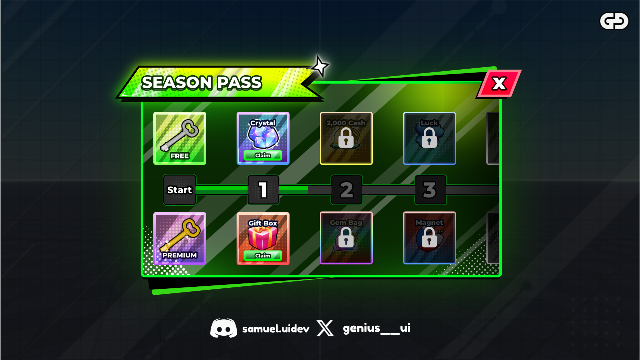
Free and premium reward tracks, XP progress bars, tier badges, lock overlays, and claim states aligned to pixel offsets.
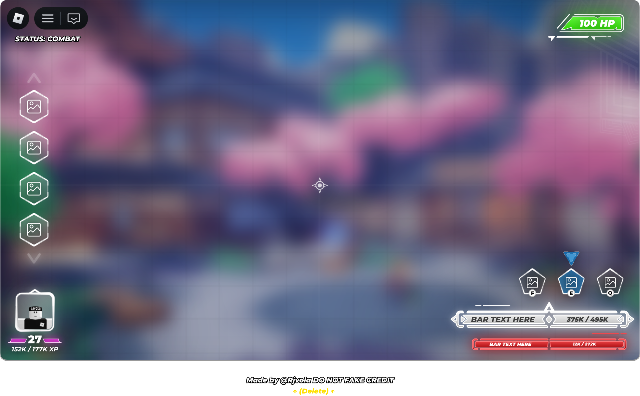
Corner-anchored coin/gem counters, health/XP bars, side menu icon rails, and action buttons scaled for desktop and phone.
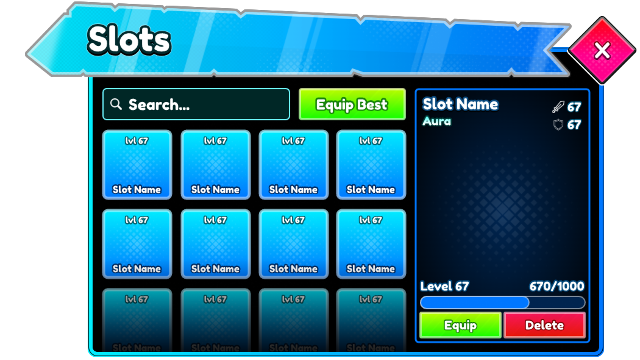
Rarity-bordered slots, equipped badges, item detail sidebars, and search/equip action bars ready to wire to Luau data.
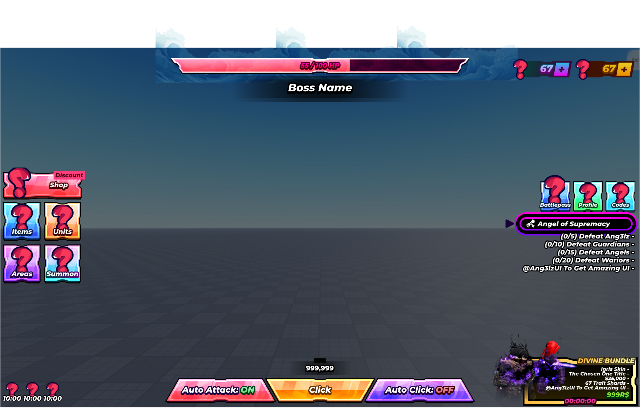
Limited-time offer banners, countdown labels, multiplier pills, and high-contrast click/collect CTAs.
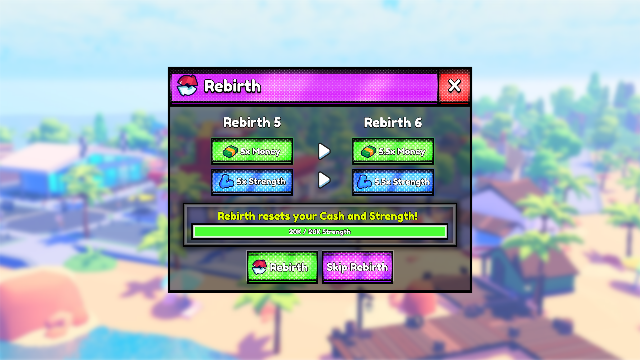
Before/after stat comparisons, requirement progress meters, and confirm buttons extracted directly from Figma layers.
rendering modes
You do not have to upload a single image to start building. Choose native Luau instances for instant iteration, or upload pre-split PNGs for pixel-exact Figma art.
Builds panels, buttons, headers, tiles, bars, and inputs with Frame, UICorner, UIGradient, UIStroke, and TextLabel. Runs immediately in Studio—even on the free Starter plan.
Uploads pre-split layers (notext.png + parts/*.png) with exact SliceCenter insets via upload_unit_assets, Studio upload_image, or Open Cloud upload_assets.
| Dimension | Native Instances | 9-Slice Uploaded Art |
|---|---|---|
| Roblox instances | Frame, UICorner, UIGradient, UIStroke, TextLabel | ImageLabel / ImageButton + ScaleType.Slice + TextLabel |
| Asset setup | None—works offline and without ROBLOX_API_KEY | Auto-uploaded via upload_unit_assets, Studio upload_image, or Open Cloud upload_assets |
| Best used for | Rapid prototyping, clean flat/gradient UIs, zero-dependency screens | Stylized simulator/anime frames, glossy bevels, textures, and icons |
| Responsive scaling | Scale-based UDim2 + UIAspectRatioConstraint | Scale-based UDim2 + preserved corners from Figma 9-slice insets |
copy & run
penui runs locally over stdio (Node 20+) and connects to Claude Code, Claude Desktop, Cursor, Windsurf, VS Code Copilot, Zed, Gemini CLI, Codex, Antigravity, Continue, Cline, and Roo.
# Interactive setup for your installed AI clients
$ npx penui-mcp setup

# Or from a cloned repo (legacy remote: https://github.com/StefNoob/roferoUI)
$ node tools/setup.mjs --client cursor
$ node tools/setup.mjs --client claude-code --key rk_your_key{
"mcpServers": {
"penui": {
"command": "node",
"args": ["/path/to/penui/mcp/server.mjs"],
"env": { "PENUI_API_KEY": "rk_your_key" }
}
}
}Need full client paths or Open Cloud asset upload env vars? Read the penui MCP installation docs.
"Call penui's get_studio_workflow, find a shop frame and 6 item cards in stud-shop with search_units, compose one scaled ScreenGui using compose_units, and insert it into StarterGui via execute_luau."
"Use penui in native mode (Frame + UICorner + UIGradient + UIStroke) with starter-frames and penui-icons to build a clean Settings modal in StarterGui/SettingsGui."
"Inspect season-pass tokens with get_design_tokens, upload the unit layers via upload_unit_assets, and run compose_units to place a 4-tier Season Pass inside Roblox Studio."
plans & access
Search, browse, design tokens, and the full 33-tool MCP server work out of the box. Upgrade only when you need all 15 packs and higher monthly composition quotas.
Free forever. 4 starter/open-source packs (starter-frames, buttons, game-icons, penui-icons with 800+ CC0 icons) and native builds.
Or €10.39/mo billed yearly (€124.68/yr). All 15 packs, @1x/@2x/notext/SVG, and automatic asset uploads.
Or €18.39/mo billed yearly (€220.68/yr). Everything in Indie with no weekly cap (~125 full screens/mo).
Pay once, own forever. All current + future Figma packs and no monthly MCP cap.
Compare quotas and yearly savings on the penui pricing page.
questions
Yes. When paired with penui over MCP and Roblox Studio MCP, an AI agent can search 2,576+ designer-made Figma components across 15 packs, compose a responsive Luau ScreenGui script with exact offsets and 9-slice insets, and place it straight into StarterGui via execute_luau.
Do not ask an LLM to invent coordinates and gradients from zero context. Instead, give the agent penui's pre-extracted Figma metadata and pre-split layered units (full.png, notext.png, and parts/*.png) so it searches real game UI pieces, keeps every widget in one consistent pack, and assembles them with compose_units or compose_screen.
Yes. penui exposes 33 MCP tools, 6 MCP resources, and the build-roblox-ui prompt over standard MCP stdio (Node.js 20+), working with Claude Code, Claude Desktop, Cursor, Windsurf, VS Code Copilot, Zed, Gemini CLI, Codex, Antigravity, Continue, Cline, and Roo alongside Roblox Studio MCP.
Native mode requires zero asset uploads and builds panels, buttons, bars, and inputs with Frame, UICorner, UIGradient, UIStroke, and TextLabel. Uploaded mode uses ImageLabel with exact 9-slice SliceCenter insets via upload_unit_assets, Studio upload_image, or Open Cloud upload_assets when you want pixel-exact Figma textures, icons, and illustrations.
No. penui is paired with the AI coding agent you already run. It is the UI library beside that agent, not a separate chatbot.
Everything you need to wire AI agents to real Roblox game UI.